InstaLILY Brand System
I designed and built InstaLILY’s brand system, connecting foundations, documentation, reusable UI, and demos with an agent-readable system for Slack.
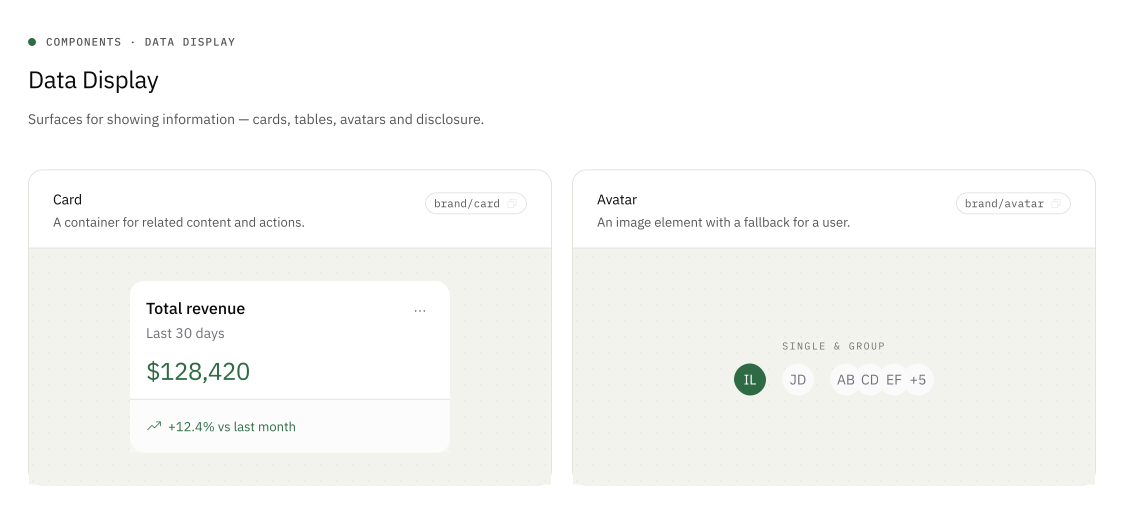
Cards and avatars from the demo UI library. Values shown are sample data.
Overview
I designed and built the brand system, including its foundations, tokens, documentation, demo section, and reusable UI library. My scope covered every part of the system except the deck design and one-pager sections, which were contributed separately.
- Role
- Design engineer
- My responsibility
- Brand system design and implementation
- Collaborator contributions
- Deck design and one-pager sections
- Connected workflow
- Brand system → Brand Agent in Slack
Defining the foundations
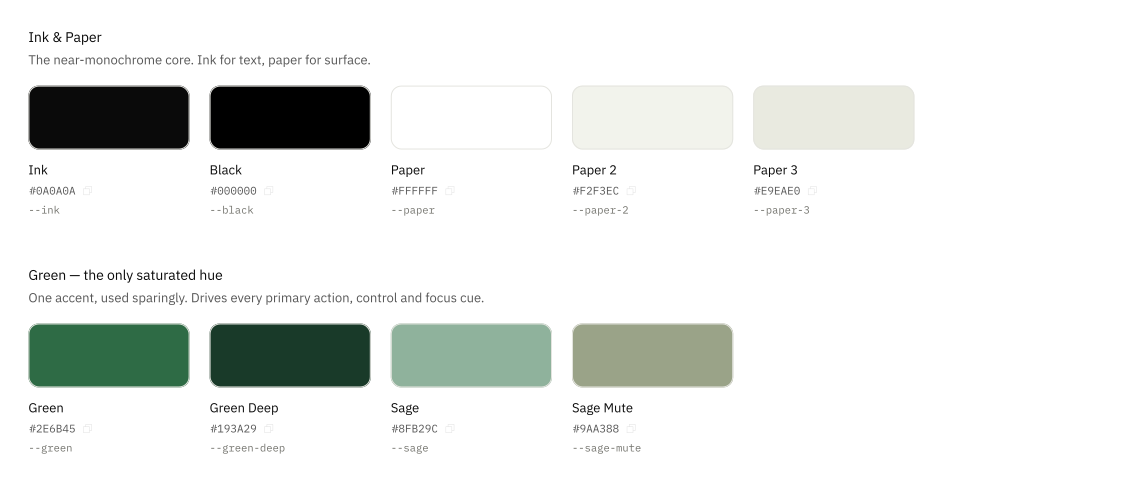
I designed and documented the system’s color foundations, with ink and paper carrying most of the interface and forest green as the accent. I mapped those choices to named color roles so components can use the same tokens for primary actions, surfaces, and text.
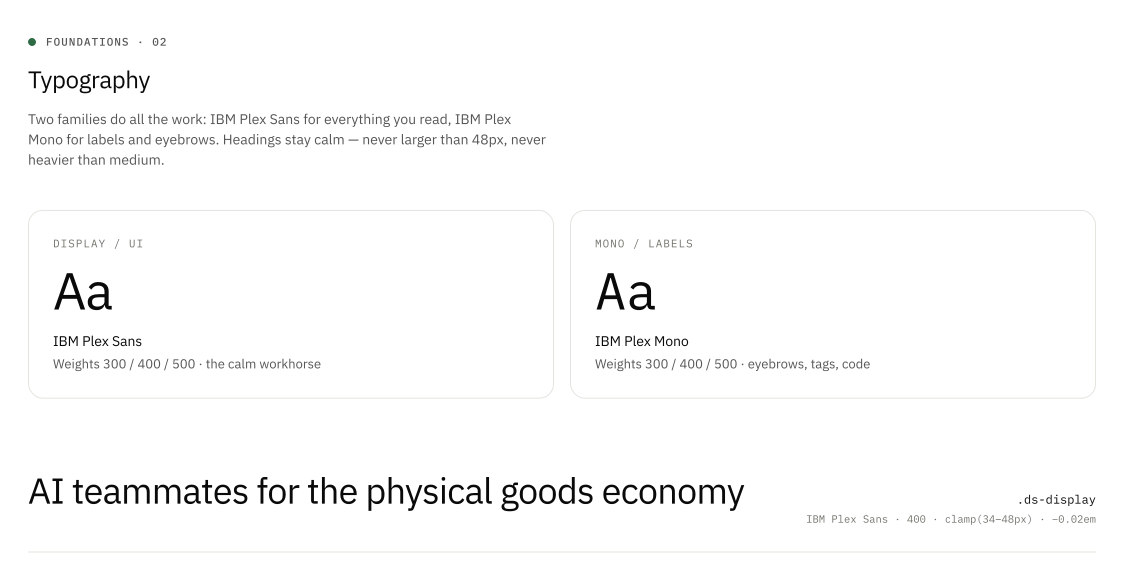
I built the typography reference around IBM Plex Sans and IBM Plex Mono, documenting how the system moves from display text to compact interface labels. The type scale keeps controls and dense information readable while carrying the same visual character into demos.
The demo UI library
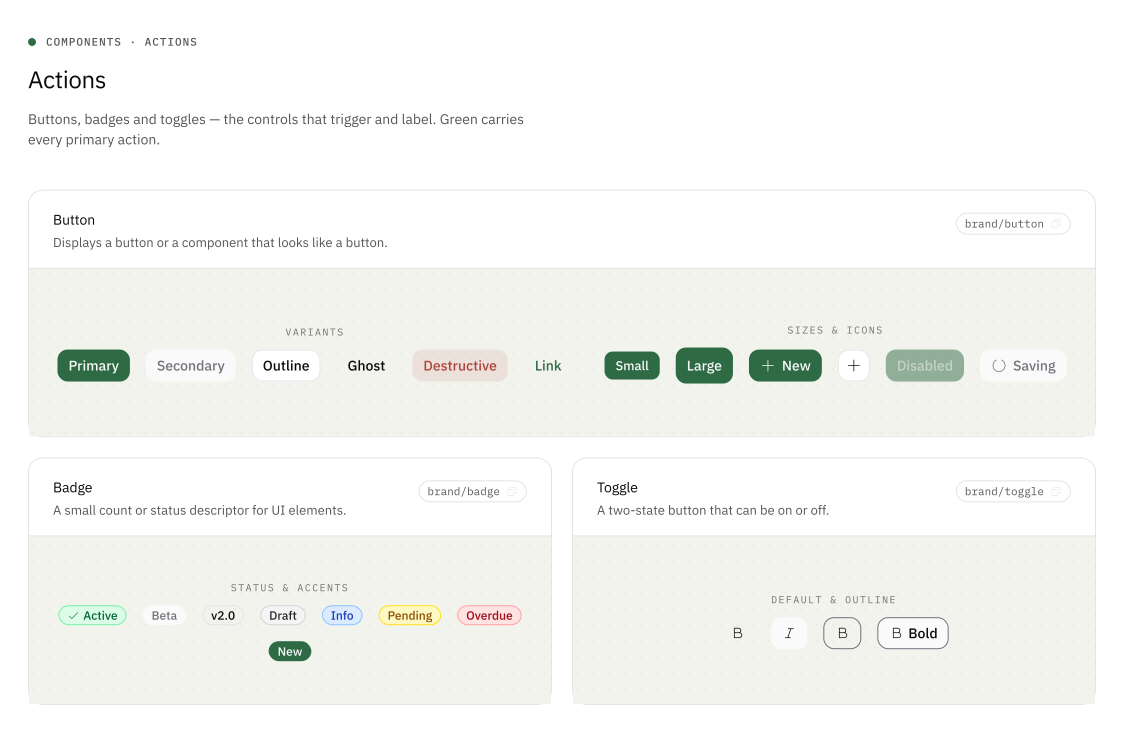
I designed and built the demo section as a working gallery of the UI library: actions, forms, overlays, navigation, data display, and feedback. Each component sits alongside the usage guidance and import reference I documented for the team.
Showing variants and states together makes the design decisions concrete. Primary, secondary, disabled, and loading buttons share one visual language, while badges and toggles cover the smaller signals an interface needs.
Patterns for data-rich demos
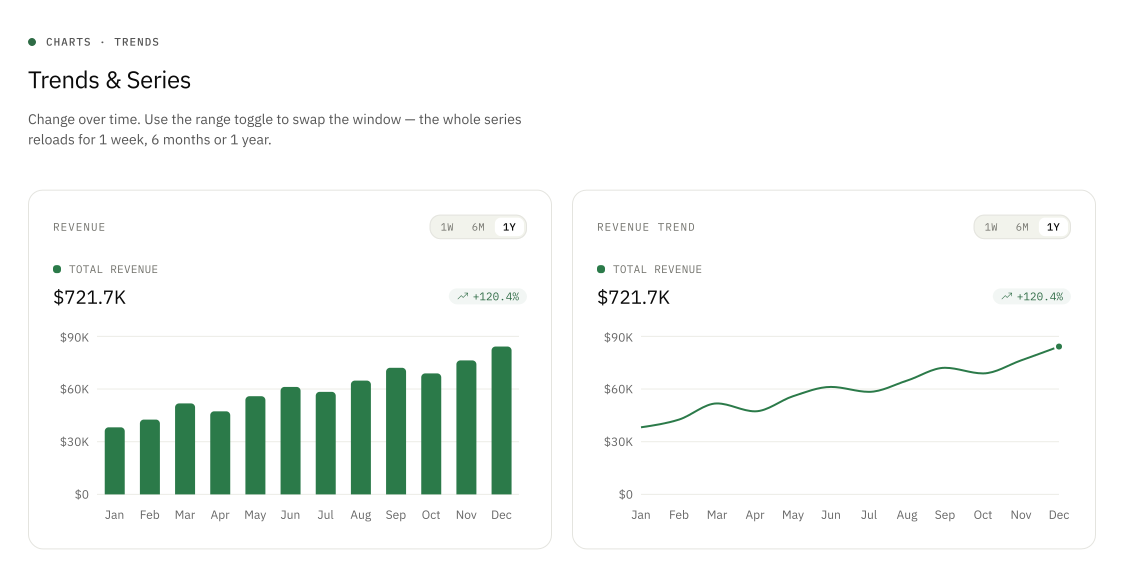
I extended the library beyond individual controls to cards, tables, and charts. Shared typography, spacing, labels, and number formatting help these pieces feel like one interface when they appear together.
The chart examples include time-range controls and multiple ways to show a series. Working examples make it possible to explore both the appearance and behavior before using a pattern in a demo.
From the brand system to a Slack agent
 Slack
Slack Google Cloud
The brand system I built also powers Brand Agent in Slack. Its tokens, assets, templates, and usage rules are packaged into an agent-readable bundle. Brand Agent loads that bundle with the instructions for making branded work, so teammates do not need to repeat the guidelines in every request.
A teammate mentions @Brand, attaches a source file or pastes content, and asks for an output, such as a one-pager or a brand check. The agent identifies the workflow, applies the shared system, builds the result, and checks the required files before posting them back to the same Slack thread.
Follow-up messages revise the existing work using the thread’s sources and previous output. The design system becomes something the team can ask to do work, with the conversation, files, and revisions kept together.
Mention @Brand
Request in Slack
Attach files or paste content
Read the brand system
Tokens, assets, and rules
Workflow instructions
Build and check
Generate and render
Validate the required files
Reply with the files
Deliver in the same thread
Reply again to revise
Report the issue in the thread so it can be corrected before an artifact is delivered.
A system that can keep evolving
Building the foundations, documentation, UI library, and demos together let me connect visual decisions directly to working examples. The system gives the team both a reference to consult and components they can use.
Brand Agent extends that work into a conversational workflow. The same maintained rules can guide both someone building a demo and an agent responding to a request in Slack.